Common Startup Issues And Solutions For EPE Foam Machines
Starting up the EPE foam machine is one of the most critical stages in the entire production process and also a phase prone to frequent issues. A rough startup can lead to significant waste, equipment damage, and production delays.
The following systematically outlines common problems encountered during EPE foam machine startup, their root causes, and corresponding solutions, arranged in the typical startup sequence.
Core Principle: Thorough inspection must be conducted before starting the EPE foaming machine.
Before attempting startup, ensure the following:
All maintenance tasks are completed (especially screw cleaning).
All systems (water, electricity, gas, foaming agent) are supplied normally with no leaks.
The temperature control system displays accurate readings, and sufficient preheating time is provided (typically 2-4 hours until temperatures are uniformly stable at all points).
I. Startup Phase: Motor fails to start or experiences difficulty starting
| Problem Symptoms | Possible causes | Solution |
|---|---|---|
| The main motor cannot start. | 1. Power is not connected or voltage is too low. 2. The emergency stop button has not been reset. 3. Safety interlock device triggered (e.g., guard door not closed, lubrication failure alarm). 4. Circuit breaker or overload protector tripped. | 1. Check the main power supply and voltage. 2. Inspect and reset all emergency stop buttons. 3. Check the status of all safety switches and troubleshoot any faults. 4. Inspect the motor and wiring, then reset the protector. |
| Abnormal noise or tripping during main motor startup | 1. Cold material has solidified inside the barrel, causing the screw to seize. 2. Gearbox failure. 3. Failure of the motor or starter itself. | 【DANGER! DO NOT FORCE START!】 1. Most Common Cause: Immediately halt startup and heat the problematic temperature zone separately (especially the machine head and die head). Once the temperature has sufficiently risen, attempt manual cranking (using specialized tools to rotate the transmission components) until rotation becomes possible. 2. Contact a professional repair technician for inspection. |
II. Feeding and Plasticizing Stage: Discharge Abnormality
| Problem Symptoms | Possible causes | Solution |
|---|---|---|
| No material feeding or unstable material feeding | 1. Hopper bridging (material bridging at the hopper inlet). 2. Excessive temperature in the feed section causes particles to melt prematurely and adhere to the cylinder wall, forming a “melt film” that obstructs the flow. 3. The cooling water for the screw feed section is not turned on or is blocked. | 1. Tap the hopper or use a mixer to break up bridging. 2. Reduce the temperature in the feed section to ensure the feed section cylinder is cooled. 3. Inspect and clear the cooling water jacket in the feed section. |
| Slow discharge speed, low output | 1. The host speed setting is too low. 2. Clogged filter. 3. Severe wear on the screw or barrel increases internal leakage. 4. Back pressure is too high. | 1. Appropriately increase the rotational speed. 2. Replace the filter. 3. Inspect the screw/barrel clearance and schedule a major overhaul. 4. Inspect the die and runners for blockages and adjust the back pressure. |
| Melt temperature is unstable or excessively high | 1. Poor contact or damage to the thermocouple causes inaccurate temperature readings. 2. Heating element damaged (partially non-functional). 3. Cooling system failure (fan/water pump malfunction). 4. Excessive shear heat (screw speed too high, formulation too viscous). | 1. Inspect and replace the thermocouple. 2. Use a clamp meter to check the heating coil current and replace any damaged coils. 3. Repair the cooling system. 4. Reduce screw speed and adjust the formulation. |
| The melt contains “old material” or impurities | 1. Failure to clean thoroughly after the last shutdown is the most common startup issue! 2. The raw material itself contains impurities. 3. Environmental dust pollution. | 1. Continue discharging material at low speed until all old material is completely removed. In severe cases, disassemble the die head for cleaning. 2. Strengthen raw material screening and hopper cleaning. 3. Keep the workshop clean. |
III. Foaming Agent Injection and Mixing Stage: Uneven Foaming
| Problem Symptoms | Possible causes | Solution |
|---|---|---|
Foaming agent pressure is unstable or cannot be injected. | 1. Insufficient pressure or empty foaming agent tank. 2. Leakage in injection line or valve not fully open. 3. Check valve (one-way valve) clogged or malfunctioning, causing melt backflow. 4. Excessive melt pressure at injection point exceeding injection pump capacity. | 1. Replace gas cylinders or inspect the gas supply system. 2. Use a leak detector to check for leaks. Open flames are strictly prohibited! Inspect all valves. 3. Perform an emergency shutdown, disassemble and clean or replace the check valve. This is a critical maintenance point! 4. Increase melt temperature to reduce viscosity, or check for downstream blockages. |
Large, uneven bubbles | 1. Melt temperature is too high, causing rapid gas escape. 2. Melt temperature is too low, resulting in poor plasticization and uneven mixing. 3. Foaming agent is not uniformly mixed with the melt (insufficient screw shear or inadequate nucleating agent in the formulation). 4. Excessive foaming agent ratio. | 1. Reduce heating temperatures, particularly in the homogenization section and at the die head. 2. Appropriately increase temperatures to ensure complete plasticization. 3. Adjust screw speed and back pressure, optimize the formulation, and increase nucleating agent content. 4. Lower the blowing agent injection rate. |
Completely non-foaming or extremely dense | 1. Complete failure of the foaming agent injection system (pump failure, valve blockage, pipe rupture). 2. Extremely low melt temperature preventing gas expansion. 3. Severe imbalance in the crosslinker/lubricant ratio within the formulation. | 1. Inspect the foaming agent flow path. 2. Ensure temperatures in all sections meet process requirements and remain stable. 3. Verify the formulation and check the additive metering system. |
IV. Die Extrusion Stage: Product Shape and Surface Defects
| Problem Symptoms | Possible causes | Solution |
|---|---|---|
Uneven die head discharge (one side faster than the other) | 1. Uneven die head temperature. 2. Improper adjustment of die lip clearance. 3. Internal flow channels blocked or containing carbon deposits. | 1. Inspect the die heating elements and thermocouples to ensure consistent temperatures. 2. Fine-tune the die lip bolts while in the discharge state. 3. Shut down the machine, remove the die, and perform a thorough cleaning. |
The product surface has punctures and tears. | 1. Insufficient melt strength (low molecular weight or degradation of raw material). 2. Excessive foaming, leading to cell coalescence and rupture. 3. Excessively high draw speed. | 1. Inspect raw materials and adjust the formulation (e.g., increase the LDPE ratio or add reinforcing agents). 2. Reduce the amount of blowing agent or lower the melt temperature. 3. Optimize the matching between draw-off and extrusion speeds. |
The product surface has crystalline spots and hard particles. | 1. The raw material contains refractory impurities with high melting points. 2. Localized overheating causes carbonization of the material. 3. The filter screen is damaged, resulting in incomplete filtration. | 1. Inspect raw materials and enhance filtration. 2. Inspect the heating system to prevent overheating; clean the screw/die head. 3. Replace the filter screen. |
Product dimensions are unstable and subject to significant fluctuations. | 1. Unstable extrusion volume (fluctuations in feed rate or melt pressure). 2. Variations in blowing agent injection volume. 3. Unstable haul-off speed. | 1. Inspect the feed system and melt pressure stability. 2. Inspect the foaming agent pump and pressure control stability. 3. Inspect the drive and speed control system of the traction rollers. |
Standard Startup Procedure and Troubleshooting Logic Tree for EPE Foaming Machines
Thoroughly preheat -> If temperature is insufficient, inspect heating/temperature control system.
Low-speed idle operation -> If unable to start, troubleshoot per “I. Startup Phase”.
Add raw material, low-speed extrusion -> If no material output or abnormal output, troubleshoot per “II. Feeding and Plasticizing Phase”.
Introduce foaming agent -> If foaming is uneven, troubleshoot per “III. Foaming Agent Injection Stage”.
Adjust die head and traction -> If product defects occur, troubleshoot per “IV. Die Head Extrusion Stage”.
Finally, and most importantly:
Establish a “Standard Operating Procedure for EPE Foam Machine Startup” and a “Troubleshooting Record Form.” Document every issue encountered and its resolution during each startup to build your factory's knowledge base. This significantly improves startup success rates and efficiency while reducing absolute reliance on individual veteran operators' experience.
Why Choose Us
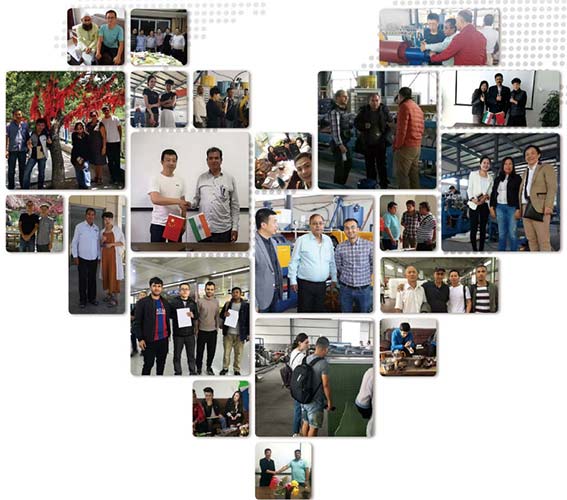
China manufacturer of EPE foam machinery since 2003.EPE foam machine not only have covered all over China, but also have exported to more than 70 countries
Would you like to take a closer look at our offer?

You May Like:
We are making Common Startup Issues And Solutions For EPE Foam Machines factory, manufacturer & supplier & exporter.We specialize in making EPE foam machine for over 20+ years